Community safety has never been a single tool or tactic. It looks like porch lights and front-porch conversations, neighborhood captains who know their block by name, and yes, smartphones pinging with alerts when a package disappears down a driveway. Over the last decade, community safety apps have matured from noisy social feeds into focused platforms for situational awareness, coordinated response, and documented evidence. Used well, they help neighbors move from passive observers to early detectors and trusted witnesses. Used poorly, they produce rumor loops and unnecessary anxiety.
I have worked with neighborhood councils, property managers, school districts, and senior centers on safety planning. The best results come when tech supports habits that people will actually sustain. Apps should reduce friction, not create it. The following guide covers what different apps do, how to choose them for your area, practical setup steps, and how to blend digital tools with personal safety habits and neighborhood awareness so that everyone benefits, not just the loudest voices.
What community safety apps do well, and where they stumble
Most platforms fall into three buckets. Some focus on hyperlocal alerts, such as crime reports, suspicious activity, or fires. Others emphasize personal safety, giving you a quick way to share your location and call for help. A third group ties into home devices, including cameras, motion sensors, and security systems. A few apps straddle all three, but generalists often sacrifice clarity.
Well-built tools give timely, relevant information and simple ways to act. Your neighbor’s video clip of a porch pirate matters if you can filter by your street and forward it to your block watch lead without wading through lost dog posts. Problems appear when apps incentivize overreporting or confuse correlation with proof. An unfamiliar person walking past a home is not inherently suspicious. Communities thrive when transparency and restraint exist in the same feed.
A second common stumble is notification fatigue. If an app produces ten alerts for minor issues before lunch, users disable it. The net result is worse awareness than before installation. Apps that allow fine-grained controls by radius, time of day, and category tend to last.
A taxonomy of tools by real-world use
I group community safety apps by the job you need done. Names will vary by region, and features evolve, but the categories help you avoid installing five tools that all do the same thing.
Neighborhood alert networks. These aggregate resident posts, public-safety statements, and sometimes official crime data. They are best when you want neighborhood awareness and practical, verifiable information about local incidents. Many now offer ways to automatically blur faces on uploaded video and to report posts that violate community standards.
Personal safety apps. These prioritize one-touch help, discreet SOS triggers, timed check-ins, and automatic location sharing with a small circle. I recommend these for solo commuters, late-shift workers, and teens walking to school. The goal is not more noise. The goal is one reliable signal when something is wrong.
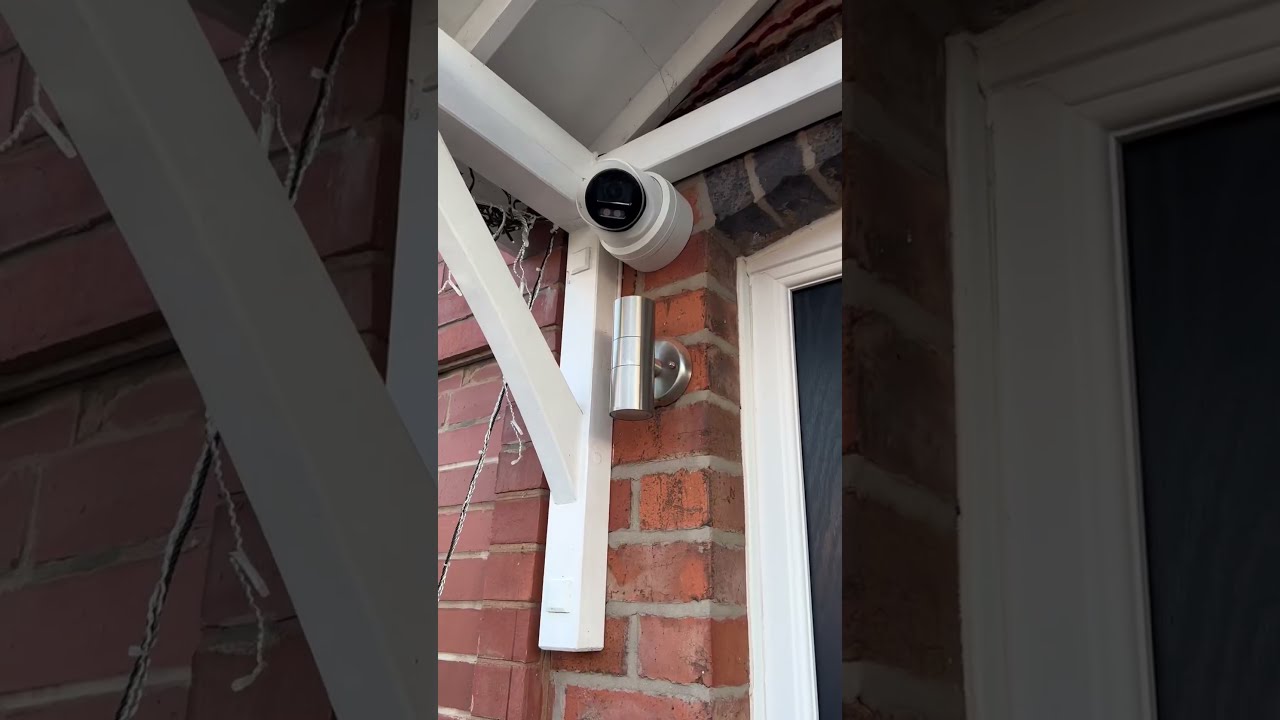
Camera and doorbell ecosystems. They give you evidence, not just anecdotes. A short clip with time stamp and street location is far more useful to police than a vague description. The edge case is privacy. Not every neighbor wants a camera pointed near their yard. Responsible settings, such as motion zones that exclude sidewalks or streets, preserve goodwill.
Integrated security platforms. These pair property insurance and security systems with professional monitoring. For some households, the peace of mind is worth the subscription. For others, a mix of simple hardware and good routines does the job.
Travel safety for homeowners. When you leave for a weekend or three months, you can tie timers, lights, mail holds, and neighbor check-ins into an app-based plan. Some platforms allow temporary, revocable access codes for cleaners or pet sitters, logging who enters and when.
Getting value without turning your phone into a siren
Several habits separate useful deployments from noisy ones. First, decide your coverage radius. In dense cities, a quarter mile often captures enough. In suburbs, one mile may make sense. Second, choose categories that match your risk profile. If package thefts have spiked, turn on delivery alerts. If you live near a wildfire zone, prioritize evacuation and air quality updates. Third, designate one or two people per block as point contacts. They can forward essential alerts, organize follow-up, and push back on rumors.
Finally, set a cadence for review. A short monthly check keeps your notification filters tuned. Communities change. A new school bus route or retail center will alter traffic patterns and incident types. Adjust the app to the neighborhood you live in now, not the one you had last year.

How apps intersect with personal safety habits
Phones cannot replace situational awareness. They can encourage it. One feature I like is the planned check-in. When someone walks to a car in a dark lot, setting a five-minute timer that auto-notifies a trusted contact if not canceled adds a small safety net. Another is location sharing with a small group, used sparingly. Parents often overdo this, creating fatigue and trust issues. It works best for specific windows, such as a teen’s ride home from practice, not open-ended tracking.
On evening walks, keep headphones at a volume that allows you to hear a bike behind you. If you use an app that announces incidents, consider quiet hours. Constant reminders of distant events train the brain to ignore alerts. Better to hear the one that matters.
Home safety checklists, tightened for reality
Most checklists drown people in tasks with little prioritization. I prefer a short sequence that can be completed in 30 to 45 minutes, then expanded over time.
- Test and label. Check smoke and CO detectors, replace batteries, and label the date on the cover. Press the test button on your home alarm if you have one. Confirm contact numbers in your monitoring app are current. Visible deterrents. Walk to your curb at dusk and look back. If your house number is hard to read, fix it. Replace burned-out bulbs. Make the front entry and driveway clearly visible from the street. Simple locks, solid habits. Check that exterior doors have deadbolts with a one-inch throw. Install a pin or dowel on sliding doors. Practice locking the garage-to-house door every time. Set your security app to remind you if the garage remains open after 9 p.m. Documentation. Photograph serial numbers of bikes, tools, and electronics. Store them in a secure notes app or password manager. If a theft occurs, police can enter accurate data into national databases. Neighbor network. Add two nearby contacts as emergency partners in your safety app. Agree on basic protocols, such as text first for non-emergencies, call for time-sensitive issues.
That sequence covers 80 percent of what most homes need. Layer in window locks, cameras, and sensors based on your risk and budget.
Protecting seniors with tech that respects autonomy
Seniors deserve safety without feeling monitored like children. The key is to pair discreet devices with clear consent. Most modern wearables can detect falls, call a designated contact, and share location temporarily during an event. Several camera doorbells support voice talk-through, which reduces the need to open a door to unknown visitors.
I have seen relatives resist safety tech until we changed the setup conversation. Instead of “We want to track you,” try “If you press this button, your daughter gets a call, and if she does not answer, it rings your neighbor.” Offer time-boxed location sharing for doctor visits or walks, then turn it off automatically. A printed card near the phone with two or three simple steps helps during stress.
On the app side, keep interfaces clean. Large fonts, high contrast, and single-tap actions beat menu mazes. Some families set up a shared digital safety for families folder with medication lists, doctors, and a one-page home safety checklist. Keep permissions tight. Not every cousin needs full access.
Smart parenting and security that builds trust
Surveillance rarely produces the trustworthy behavior parents want. Explain the why behind safety rules, then use tech as a backstop. For a ten-year-old biking to a friend’s house, a simple text check-in on arrival is better than permanent location sharing. For teens, define situations where location will be on, such as late-night rides, then honor the boundary the rest of the time.
Family safety apps with driving analysis can help new drivers see their own patterns. A weekly review of hard braking, phone usage, and night driving hours turns data into a coaching conversation. Set goals together, such as a month with no phone pickups while moving. Celebrate progress. Avoid gotcha monitoring, which creates workarounds.
School communities benefit from clear incident channels. One school I worked with moved from a chaotic email blast approach to a single opt-in app with categories for weather, facility issues, and security. Parents could subscribe to what mattered. Noise dropped, response improved.
Urban safety innovations worth adopting, cautiously
Cities offer scale and complexity. Apps that partner with local transit and public works agencies can improve daily safety by mapping outages, lighting failures, and construction closures. Some platforms allow residents to report hazards like broken sidewalks or blocked crosswalks with photos and geo-tags. When staff respond quickly, trust builds. When tickets linger, people stop reporting. If your city supports a service request app with public timelines, use it. Transparency deters both neglect and performative outrage.
Hub-based camera sharing is growing. Apartment buildings often provide residents limited access to view lobby or package room footage via an app. Done right, this reduces disputes and helps resolve delivery problems. Done poorly, it becomes voyeurism. Clear policies, short retention windows, and strict access controls are essential.
In high-density neighborhoods, noise complaints and nightlife generate safety concerns that flare after midnight. Apps that allow group check-ins for late workers traveling home together, including rideshare drivers, fill a real gap. The best ones emphasize mutual aid, not just incident reporting.
Property insurance and security systems, aligned incentives
Insurance carriers have noticed that homes with monitored alarms, leak sensors, and automatic water shutoff valves produce fewer large claims. Some offer premium discounts or device subsidies. Read the fine print. A discount of 5 to 10 percent can offset the subscription cost of a security monitoring plan or a set of sensors. The trade-off is data sharing. You may agree to provide device status data or alarm history. For many homeowners, the exchange is acceptable if the data is used for risk reduction rather than marketing.
Avoid overbuying. A smaller home might need a few door sensors, a motion detector covering the central path, and a monitored smoke detector tied to the system. Cameras can be added later. Start with the risks that cost the most: fire, water, and forced entry. Add conveniences as your budget allows.
If you install integrated systems, test them quarterly. False alarms strain public resources and can lead to fines in some jurisdictions. Most apps include a test mode that notifies the monitoring center without dispatching responders.
Travel safety for homeowners who want to come back to normal
Leaving a home empty changes risk. Burglary shifts to water leaks and power issues. A community-oriented approach helps. Ask a neighbor to park in your driveway occasionally. Set timers that vary lights, not a single lamp on a fixed schedule. Some smart lighting platforms can mimic occupancy based on your past patterns, within reason. Overly scripted behavior can look robotic to someone watching.
A simple travel packet in your safety app can include your itinerary, emergency contacts, how to reset the main breaker, and where to find the water shutoff. Grant temporary access codes to trusted helpers, each with unique codes that expire on your return. When someone visits, a smart lock now logs entry times, which can be useful if a delivery or maintenance issue arises.
Consider pausing package deliveries or using locker pickup. Many thefts occur when a house shows repeated unattended packages. If you must receive deliveries, coordinate with a neighbor and use a camera to confirm drop-offs.
Community safety apps compared by job-to-be-done
The names https://open.substack.com/pub/umquesqymm/p/wired-vs-wireless-cctv-in-large-homes?r=6mwt3r&utm_campaign=post&utm_medium=web&showWelcomeOnShare=true change, but you can evaluate choices with a consistent lens.
- Signal-to-noise. Can you filter by distance, category, and hours so you hear what you need without constant pings? Privacy controls. Are faces and plates blurred by default on shared videos? Can you opt out of public maps that show camera locations? Evidence and export. Does the app provide time stamps, locations, and easy ways to share with law enforcement when appropriate? Governance. Are there clear reporting standards and moderation to curb bias and harassment? Interoperability. If you add sensors later, will the app support them, or are you locked into a closed ecosystem?
I favor platforms that publish their moderation policies and data retention schedules in plain language. If you cannot understand how your data is used, assume that it will be used broadly.
Bias, fairness, and building a healthy reporting culture
Community safety depends on trust across differences. Apps can amplify bias if not designed and used carefully. Vague labels like “suspicious person” often mask assumptions tied to race, age, or housing status. A better approach is behavior-focused reporting. “Person trying car door handles on Maple Street at 2:10 a.m., wearing a red jacket, backpack, heading east.” You describe actions, not identity. If you are unsure, do not post. Call non-emergency lines when something truly seems off and you can articulate why.
Neighborhood leaders can model strong behavior. Set norms at the top of your community page. Remove posts that target individuals without evidence. Host a periodic virtual training on what to report and how to avoid assumptions. Over time, the tone shifts from reactive gossip to practical collaboration.
Digital safety for families inside the same ecosystem
Households now run dozens of connected devices. Routers, cameras, baby monitors, thermostats, door locks. Digital safety for families overlaps with physical security. A compromised camera is not just a privacy issue; it can expose travel routines and entry points. Use separate Wi-Fi networks for smart devices when possible. Many routers offer a guest network that can be repurposed for IoT gear. Update firmware quarterly. Enable two-factor authentication on all security and safety apps. If an app does not support it, pressure the vendor or replace the product.
Teach family members how to recognize permission prompts. A teenager installing a game may grant microphone or location access without reading. Set the expectation that you will review app permissions for younger kids and that older teens will show you how they evaluated requests. This is about shared responsibility, not surveillance.
Making it part of neighborhood awareness without burning people out
Real safety programs endure because they respect people’s time. Pair your chosen app with a simple rhythm. A quarterly block night focused on three things: what happened that mattered, what we did about it, and what we will try next. Keep it to 45 minutes. Share one success. Share one miss. Rotate small roles so the same two people are not doing everything.
If a local business corridor participates, coordinate with them. Shop owners observe patterns residents miss, such as lunchtime thefts or weekend parking lot behaviors. Bringing them into the same alert channels helps. Return the favor by reporting graffiti quickly and using the city’s service app for maintenance issues near storefronts.
Costs, benefits, and when to say no
Not every household needs every feature. A renter in a secure mid-rise with 24-hour front desk coverage might prioritize personal safety apps and shared building alerts over private cameras. A homeowner on a corner lot may spend on motion lighting and a camera that covers the driveway and street entrance. A senior living alone might invest in a wearable with fall detection and a doorbell camera to screen visitors. Choose what reduces your actual risk, not what a marketing page suggests.
If a platform makes you feel constantly on edge, change it or remove it. Anxiety is not a feature. The best apps fade into the background until they need your attention. They compress time when seconds matter and expand context when decisions require judgment.
A brief field note from the porch
On my block, package thefts spiked one spring. Instead of flooding a neighborhood app with clips of every delivery, we agreed on a simple plan. Two homes with clear camera angles would post evidence-quality clips only when a theft occurred, with time and direction of travel. Others adjusted delivery windows or used pickup lockers for high-value items. A volunteer watched the pattern over two weeks and noticed the same car looping exactly 20 minutes after a certain courier’s route. The police liaison asked for a narrow band of footage, and a plate number emerged. The thefts stopped. We did not need a thousand pings. We needed three good posts and a plan.
Bringing it all together
Community safety apps can mobilize neighbors and prevent crime, but they are only as good as the habits behind them. Tighten your home safety checklists to what you will actually do. Use personal safety features that respect autonomy while offering real help. Equip seniors with tech that preserves dignity. Teach kids and teens why privacy matters and when to share location. Work with local businesses and city services to fix hazards before they become incidents. Evaluate platforms for signal strength, privacy, evidence quality, and governance. And keep the human element front and center. The best alert is still a neighbor who knows your name, waves when you walk by, and texts when something looks off, with a clear description and a calm tone.
That mix of practical routines, steady awareness, and well-chosen tools pays off. You sleep better. You reduce avoidable losses. You help your neighbors do the same. And your phone becomes a partner in safety, not a source of noise.